Stories & Journal · Dev Log
I Couldn't Use My Camera's Best Feature. So I Built an App for It.
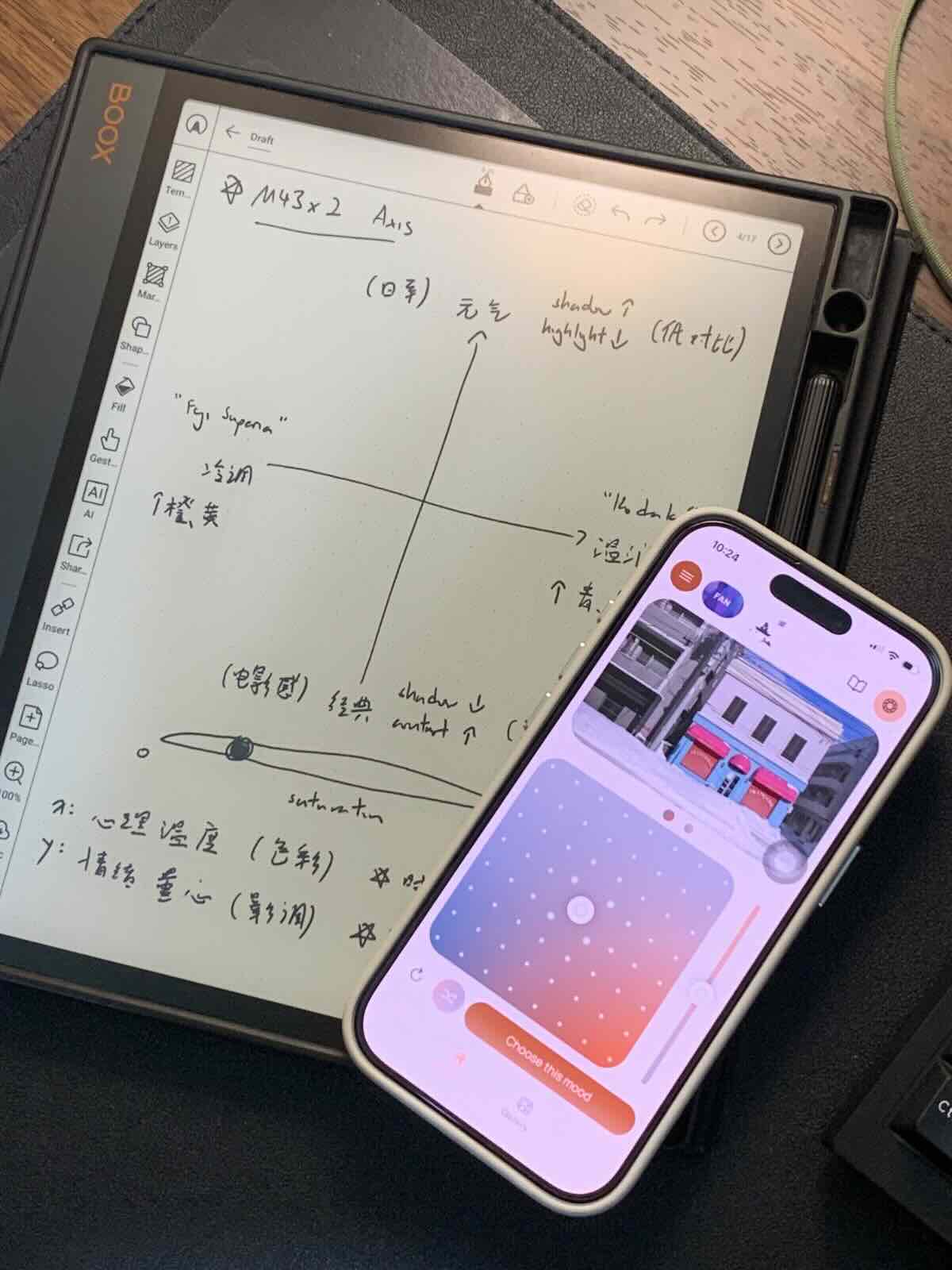
I'm pretty sure the highlight of OM Film Lab is the one thing that you do when you open the app, which is the Creative Dial. Simply dial around, get that "click" feeling of yours today, that's the color you go out with today
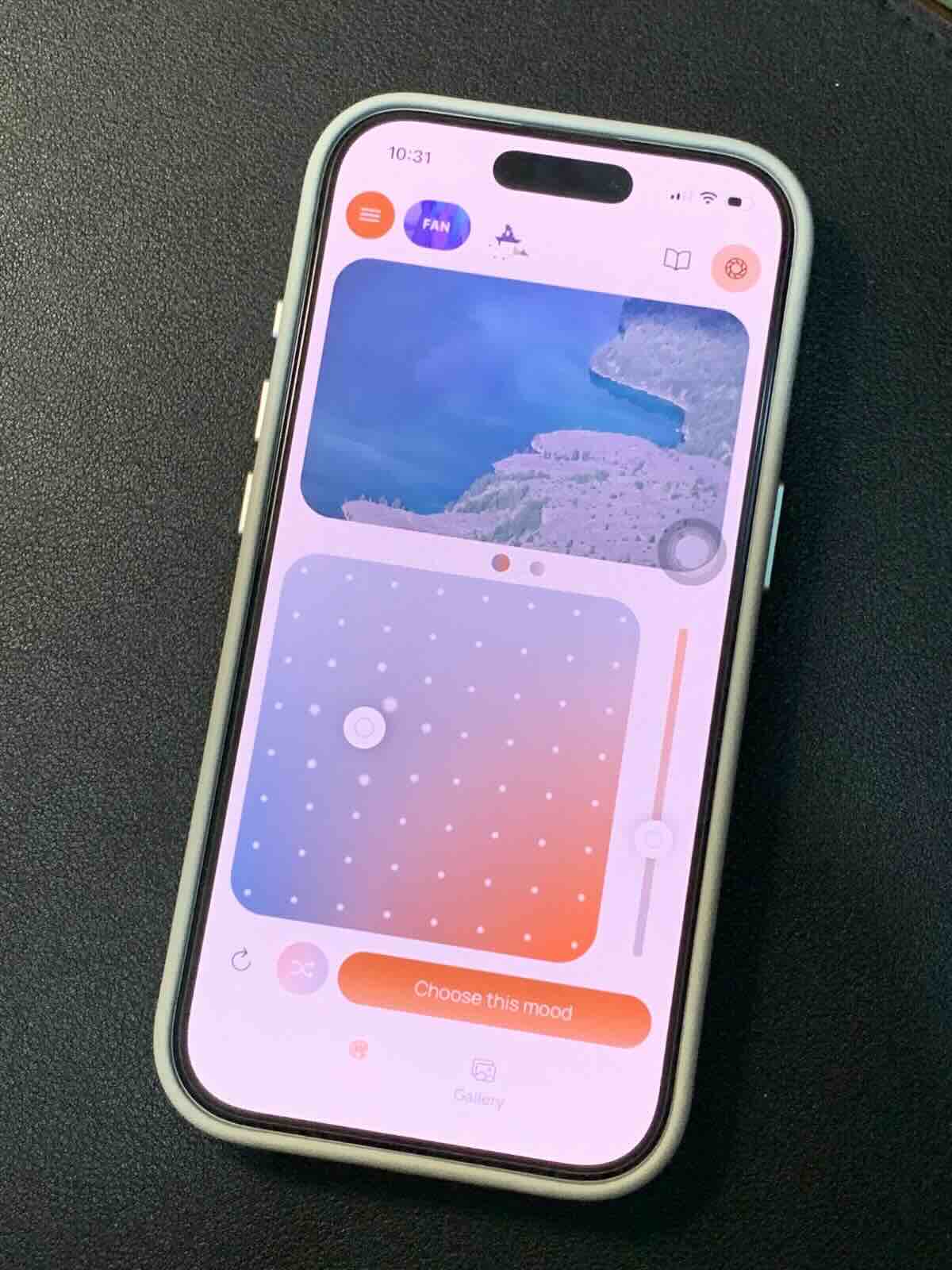
The creative dial in OM Film Lab today, dial around to change the color of it
But before it became the heart of OM Film Lab, it was the feature on my Olympus EM-5 mark iii, Olympus Pen-F and Olympus epl-2 that I never dared to touch. Because the menu it's so complex in the camera, also I have absolutely no knowledge on what's the difference setting inside means that time.
The Feature That Frightened Every Olympus / OM System users
Creative Dial lives inside the PEN-F, EP-7 and the OM-3. It lets us customize the saturation of the color channels - we can preset everything before shoot. No lightroom, no post-processing, SOOC, exactly the way we wanted it.
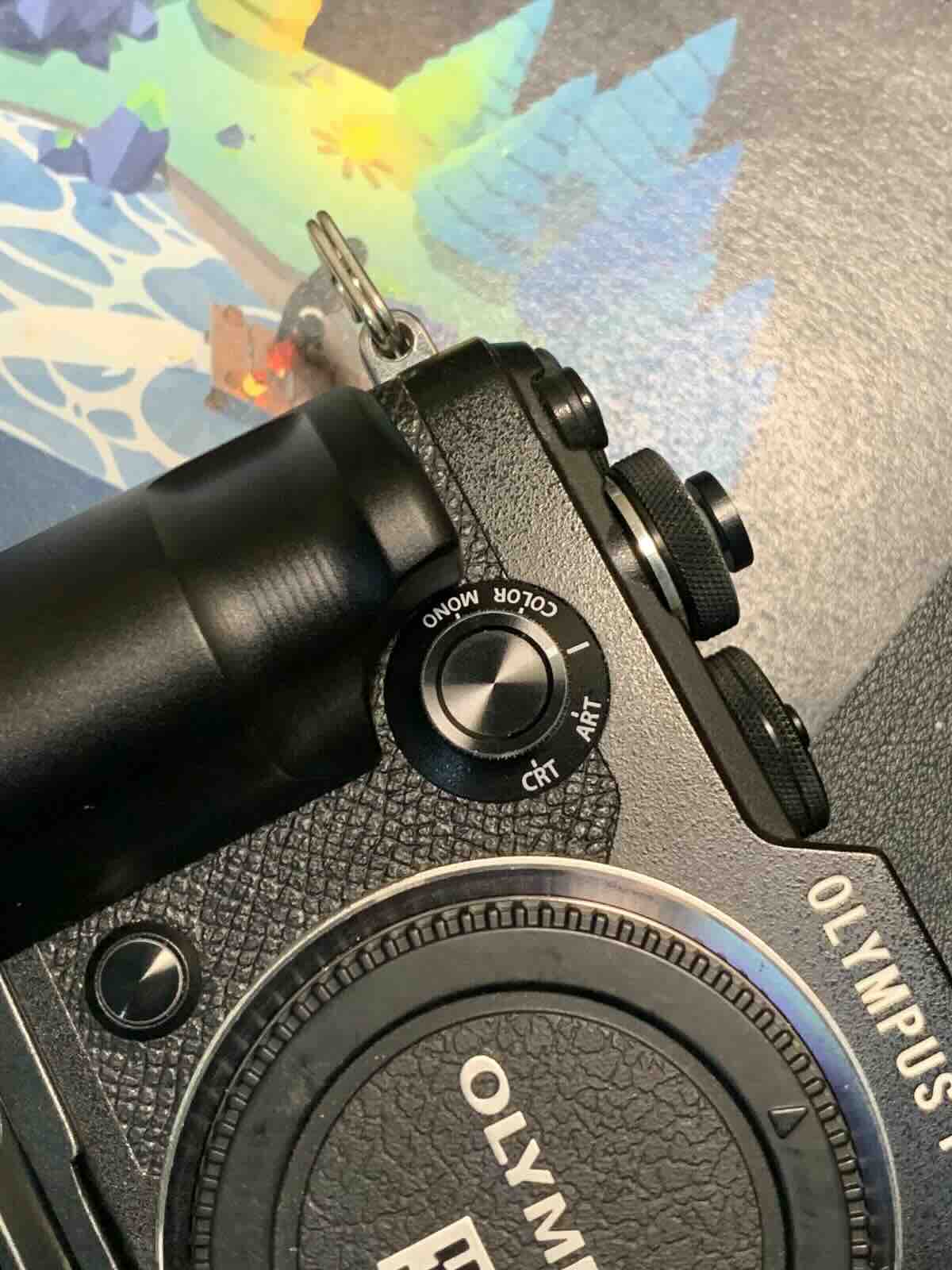
The creative dial on Olympus PEN-F
Sounds powerful. But most people don't know how to use it.
Including me!
The Online Course That Changed Everything
In January 2026, I signed up for a course called "AI for Designers" by iXDF. We learned by doing - using AI tools to run UX research.
I ran a full research pass with Gemini:
- The biggest pain for Olympus shooters: Creative Dial is too complex, so not much people dares to use it
- The menu is a maze - I got lost in it myself
- A gap in the market: Fuji has Fuji X Weekly; Olympus only has a web-based recipe hub
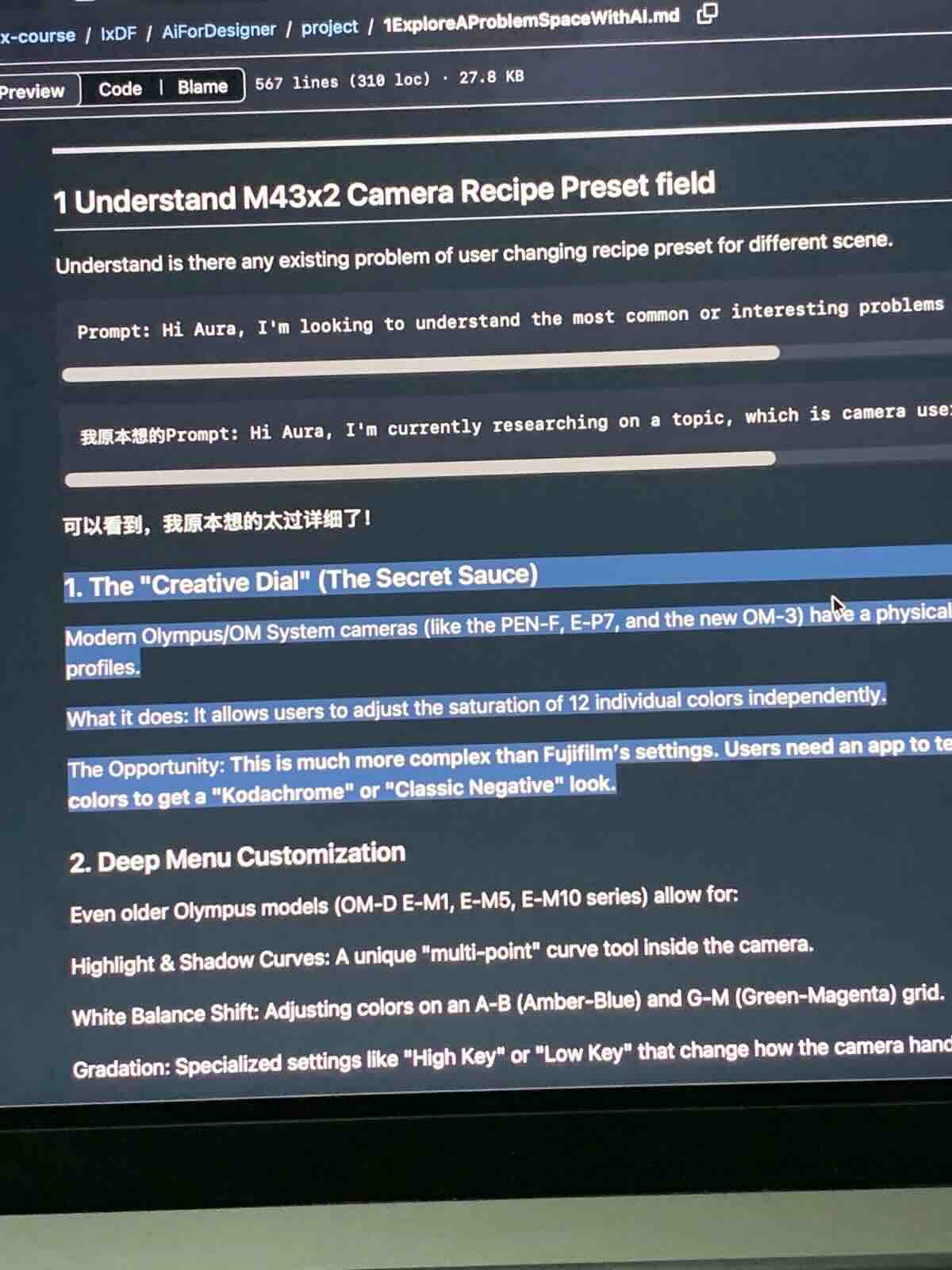
The "AI For Designer" first lesson note - Explore A Problem Space With AI
I originally wanted to build a "manage-everything" camera app. After the research, I cut everything except the creative part.
By the end of the course I had a prototype. After the course, I started building the real app.
The First Version - I Built a Precise Coordinate Plane
The first version where you can see on the image above was a coordinate plane: X axis for warmth, Y axis for contrast, Z axis for saturation. For quadrants mapped to "warm and soft", "airy and ethereal", etc
Complete. Engineered. I spent a lot of effort making it able to adjust most thing.
But it was still about choosing - and choosing requires user know what they want in mind already. We don't, we usually goes with the mood on that day.
The Turn - From Choosing To Dial
Dial randomly, instantly see if it's the mood you want.
Not it? Dial again.
Users said the same thing: this way of picking presets it's more intuitive.
The left note is the initial concept of Creative Dial, the app is the current look of it
Inspiration From Apple
The inspiration came from the iPhone color inside the edit - it's so intuitive. Dial around, the color of the image changes, user don't need to have knowledge about the White Balance, Saturation, Contrast, Highlight, Shadow etc where us photographer adjust in Lightroom. It's really a game changer! And I got so exciting every time I went to Apple store, I will pick it up and play with It!
With this, anyone can play with it, even if you are a new person coming to the photography hobby, you can easily select the mood that you like.
The only thing I do in OM Film Lab is translate it not into picture that is ready to export. But into Olympus / OM System recipe that is ready to use.
What I Learned
The camera gave you a powerful tool, but powerful enough that nobody dared to touch it. Good design isn't adding features. It's making features feel usable.
"Simple beats powerful"